 Latest release v1.0.0 (30)
Meshmerize
A one-stop needlepoint app
- TestFlight beta
- iPhone
- iPad
- macOS
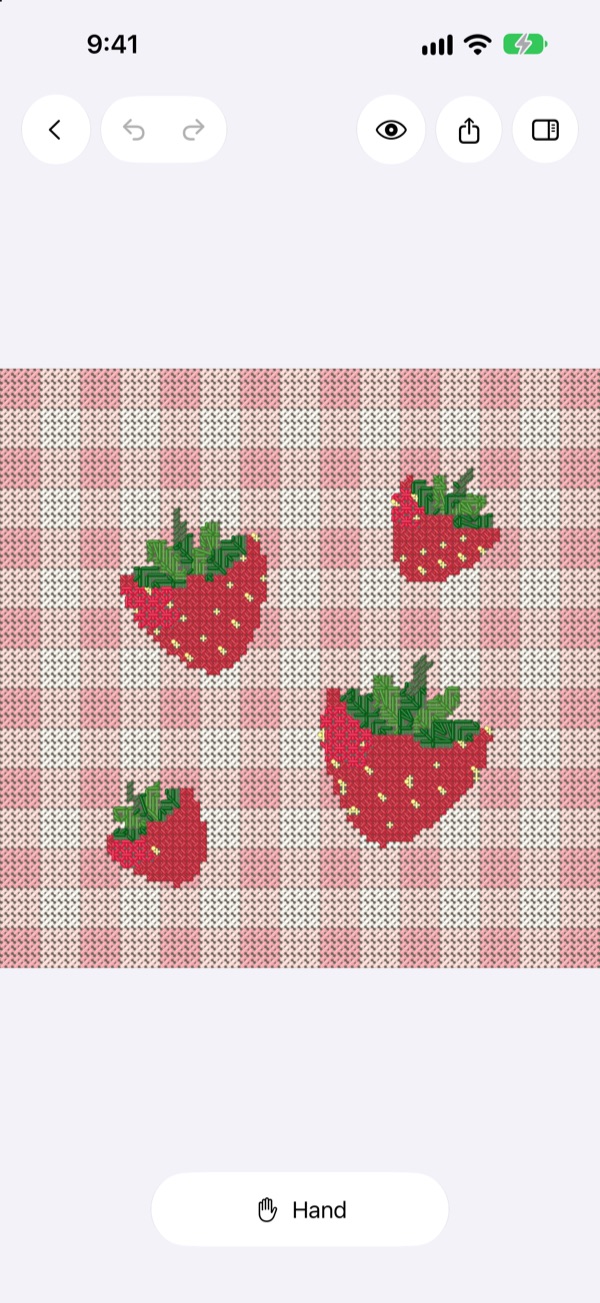
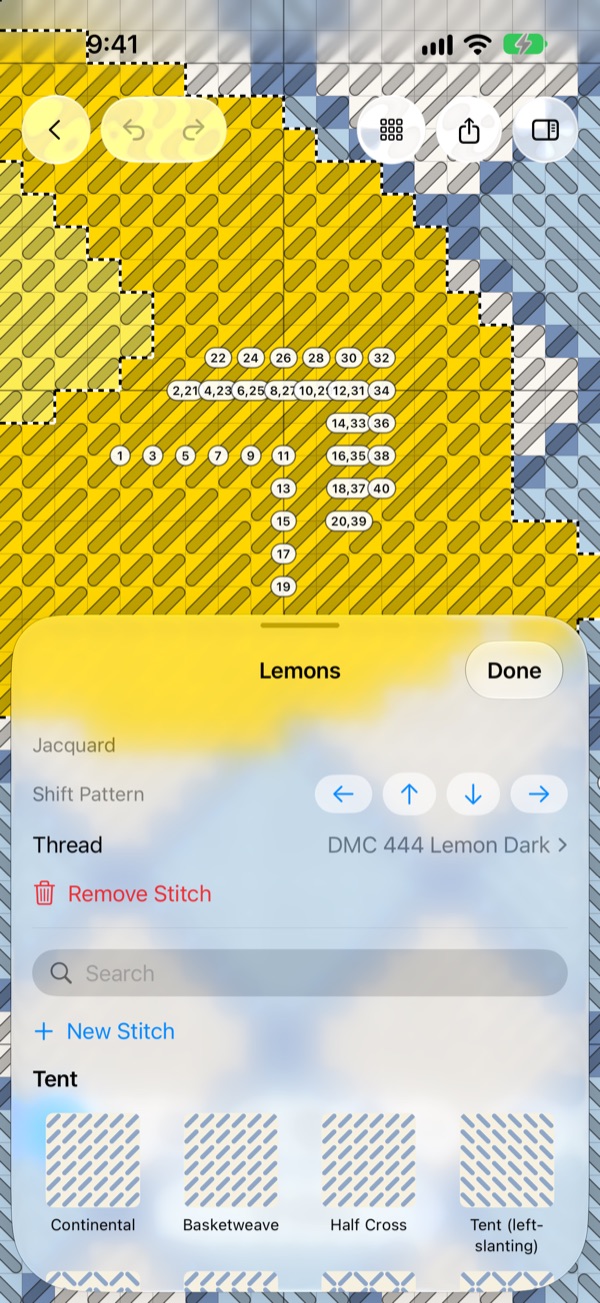
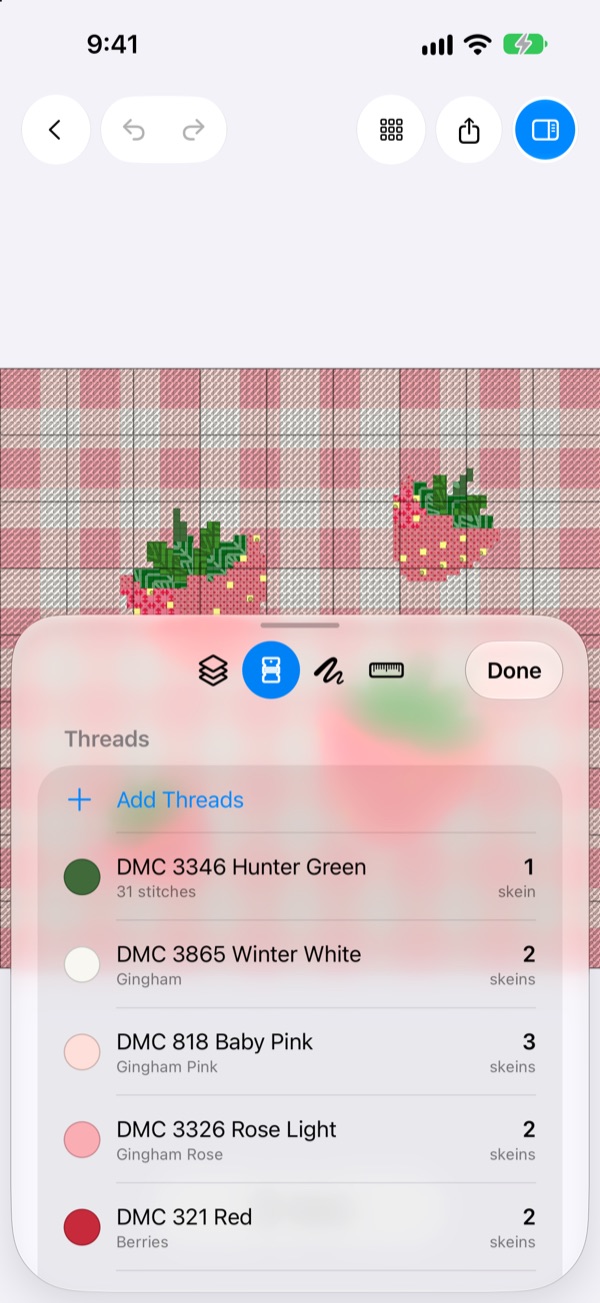
Meshmerize is a needlepoint app for iPhone, iPad, and Mac. You can design a canvas stitch by stitch with Apple Pencil, fill areas with decorative stitches, see the design worked in thread before you start, and print a full stitch guide. It also keeps track of the canvases and threads you own.
I started it in January 2026 as a Mac app for turning photos of painted canvases into patterns. In August I rebuilt the photo import on OpenCV. In October it grew into an iPhone and iPad app with a stitch catalog, a map of needlepoint shops, a passport of shop visits with collectible badges, and a Feed for sharing with other stitchers.
The iPhone and iPad app is in a public TestFlight beta, and getmeshmerize.com has more about it. It goes with the Needlepoint Painter concept: Meshmerize makes the pattern, and the painter is my idea for a machine that would paint it onto canvas.
Features
Design with Apple Pencil
Pick a size and mesh, then paint stitch by stitch or fill whole areas. Add lettering from charted alphabets or any font, drop in 22 shapes like hearts, stars, and scallops, and lay a photo under the chart to trace.
Decorative stitches
Fill any area with one of 204 bundled stitches, from Basketweave and Scotch to Byzantine and Leaf. Meshmerize tiles the stitch across the area, compensates the edges, and numbers the working order. You can also draw your own stitches.
Preview in thread
Switch from Grid to Canvas or Preview to see the design worked in thread on canvas before you buy a single skein.
Threads and skeins
Every color is matched to the nearest of 489 DMC threads. The catalog also has about 6,300 colors across 25 lines from Anchor, Appleton, Kreinik, Paternayan, Planet Earth, Rainbow Gallery, and others. Meshmerize estimates skeins for your mesh and keeps a stash of what you own.
Photo import
Pick a photo of a painted canvas. Meshmerize corrects the perspective, finds the stitch grid, follows the weave where the fabric bows, samples every cell, and matches it to DMC with CIEDE2000.
Identify a stitch
Point the camera at a stitch and an on-device model suggests which one it is. When it's wrong, pick the right one and send it in so Identify learns.
Shops, trips, and passport
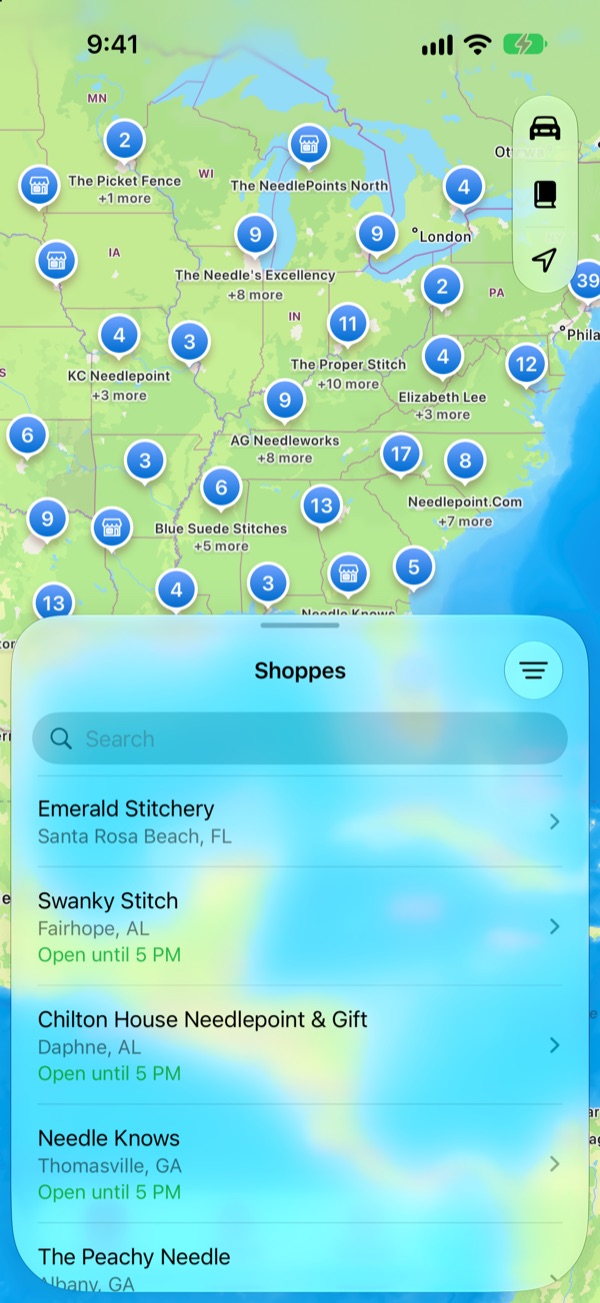
A map of about 360 needlepoint shops with hours and whether they're open now. Plan a shop hop along a route or around a city and send it to Apple Maps, Google Maps, or Waze. Check in at a shop to fill your passport and earn badges.
Feed
Share posts, patterns, stitches, trips, and badges with other stitchers. Heart and comment, tag people with @, and join groups.
Print and share
A real-size PDF chart with a color key, or a full stitch guide with a preview cover, every stitch drawn in, a page per stitch area, and the thread list. A .meshmerize file opens in the app, and Messages and Files show its chart.
Release history
8 releases since January 2026.
- Patch
- Milestone
October 2026
Groups and feedback
v1.0.0 (30)Latest- Tap the feedback button on any screen to send a note and a screenshot
- Type @ to tag someone, and group admins can add people
- Notifications say who liked, commented, or tagged you
- Shop badges can arrive without an app update
- A new badge for The Southern Stitch in Mt Laurel
Badges and sign up
v1.0.0 (21)- Look around the Feed before you join, then sign up in one step
- New badges for 5 and 8 shops, and a Magic City badge
- Locked badges stay a mystery until you earn them
- Check-ins happen at the shop
Feed
v1.0.0 (18)- A new Feed tab for sharing posts, patterns, stitches, trips, and badges
- Heart and comment on posts, and join groups
- Your profile shows your passport and badges
- Canvas projects take progress photos, and a canvas mesh background in light and dark
Shops
v1.0.0 (13)- Find needlepoint shops on a map, with their hours and whether they're open now
- Plan a trip along a route or around a city and see which shops will be open when you arrive
- Check in at shops to fill your passport, and track which shop each canvas came from
- Send a whole trip to Apple Maps or Google Maps, or a single stop to Waze
Identify
v1.0.0 (9)- Take or pick a photo of a stitch and see which stitch it most likely is
- Pick the right stitch and send it in, and Identify learns from it
- 16 new stitches, and every stitch checked against needlepoint stitch books
Tabs and My Stitches
v1.0.0 (8)- Projects, Threads, and Stitches have their own tabs
- Canvas projects keep a photo of your canvas with the threads and stitches you plan to use
- Draw your own stitches, or add one from a photo and send it in for everyone
Older releases (8)
October 2026
Shapes
v1.0.0 (7)- New Shapes tool: hearts, stars, scallops, trees, bells, and more, filled or as an outline
- Drag the handles to stretch a shape, or set its size in stitches
Text
v1.0.0 (5)- New Text tool for names, dates and monograms, with two charted alphabets or any font
- Images and text snap to the canvas's center lines and edges
- New About screen with release notes
First TestFlight build
TestFlight- Uploaded build 1 of the iPhone and iPad app
- Added 25 more thread catalogs beyond DMC
- .meshmerize files open from Files, Mail, AirDrop, and the Finder
Stitch areas and stitch guides
Stitch areas- Stitch areas on the chart, filled from a catalog of decorative stitches
- Threads, a thread stash, and skein estimates from stitch length
- A stitch guide PDF with every stitch area and the thread list
iPhone and iPad
- Pattern library on SwiftData, synced through your private iCloud
- Meshmerize on iPhone and iPad, with an iPad editor for Apple Pencil
- Export and sharing on Mac, iPad, and iPhone
August 2026
Import pipeline rewrite
Import rewrite- Replaced the Vision-based import with a Swift package built on OpenCV 4.13. It runs six stages, from perspective correction to palette.
- Bundled 489 DMC colors and matched palette colors to them with CIEDE2000.
- Max Colors, Smoothing, and bare canvas detection for cleaner imports.
January 2026
First working build
First build- Document-based Mac editor with its own .meshmerize file type.
- Pencil, eraser, fill, eyedropper, and magic fill tools.
- Photo import built on Apple's Vision framework, with Metal shaders for color clustering.
Project created
Started- Started the Xcode project for a macOS app.
Roadmap
- Done
iPhone and iPad app
Design, stitches, threads, projects, shops, and the Feed, in a public TestFlight beta since October 2026.
- Now
App Store release
Getting the iPhone and iPad app through beta and onto the App Store.
- Now
Identify accuracy
Training the stitch model on synthetic renders and on corrections testers send in.
- Later
Mac app
The Mac has the full editor and shares the iCloud library, but it isn't distributed yet.
FAQ
Can I download it?
The iPhone and iPad app is in a public TestFlight beta. The link is below and on getmeshmerize.com.
Is it free?
The beta is free. The app has a free tier that holds three patterns, and Meshmerize Pro (monthly, yearly or lifetime) unlocks import, export, and decorative stitches.
What does it run on?
iOS and iPadOS 26 or later, and macOS 26 or later. It uses the Liquid Glass controls that came with those releases.
Which thread brands does it match?
Colors match to DMC. The thread catalog also has Anchor, Appleton, Paternayan, Kreinik, Planet Earth, Rainbow Gallery, Silk & Ivory, Vineyard Silk, and DMC perle and tapestry wool.
Does the import send my photo anywhere?
No. Photo import and Identify both run on your device. Patterns sync through your private iCloud. Only what you choose to send leaves your device: Feed posts, stitch submissions, Identify corrections, and beta feedback.
Where does the shop list come from?
Meshmerize bundles about 360 needlepoint shops and updates hours and locations from a server, so the list stays current without an app update.
How does it relate to the Needlepoint Painter?
Meshmerize makes the pattern. The Needlepoint Painter is my concept for a machine that would take a pattern like that and paint it onto blank canvas.
Meshmerize
A one-stop needlepoint app