 Latest milestone: Printable nav log
Blueside
Free EFB for iPad with FAA charts, plates, and weather
- In development
- iPad
- iPhone
- Android
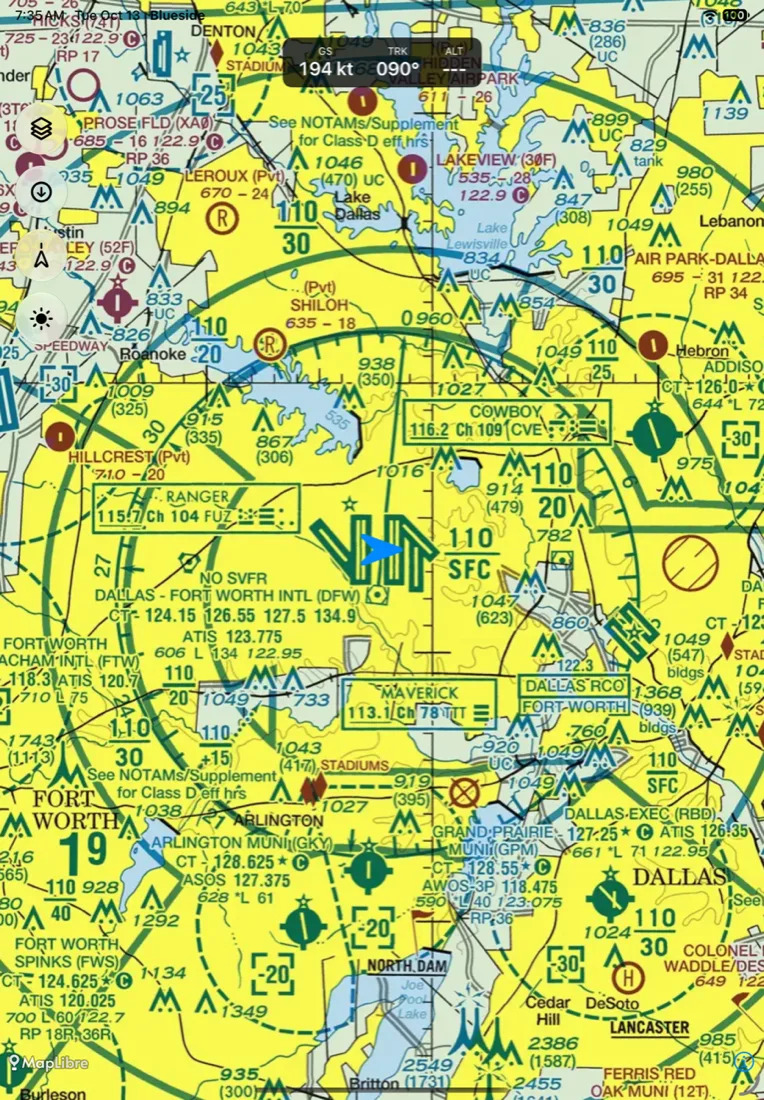
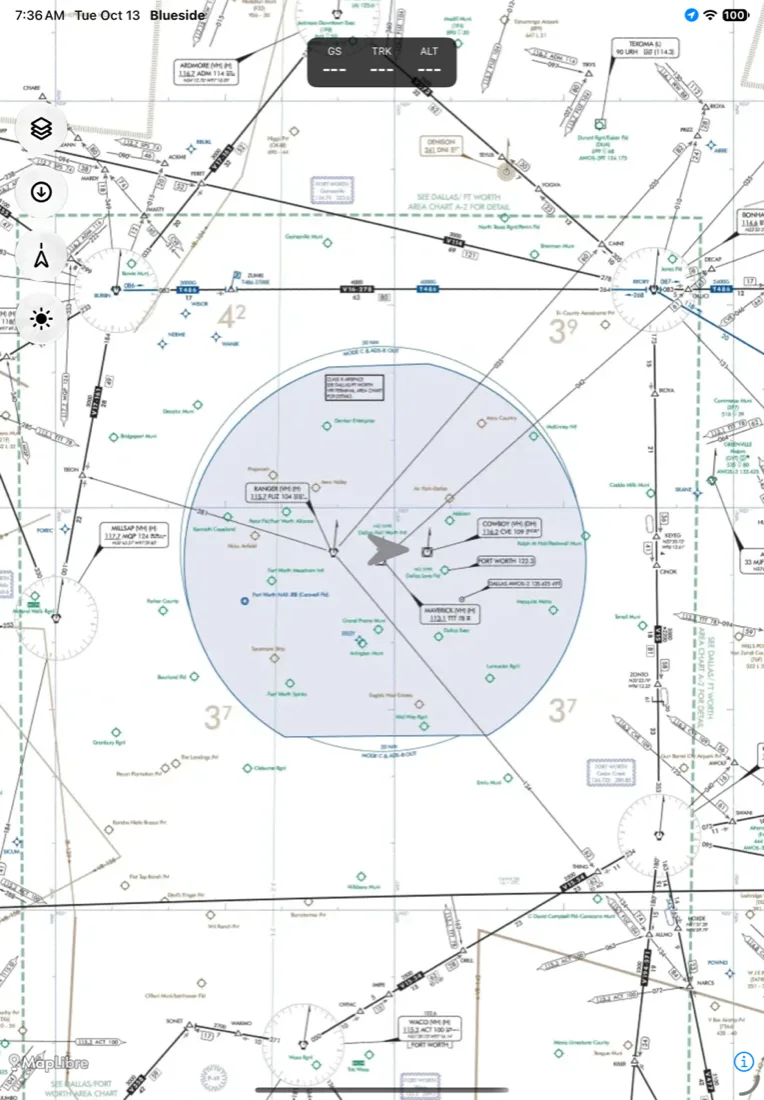
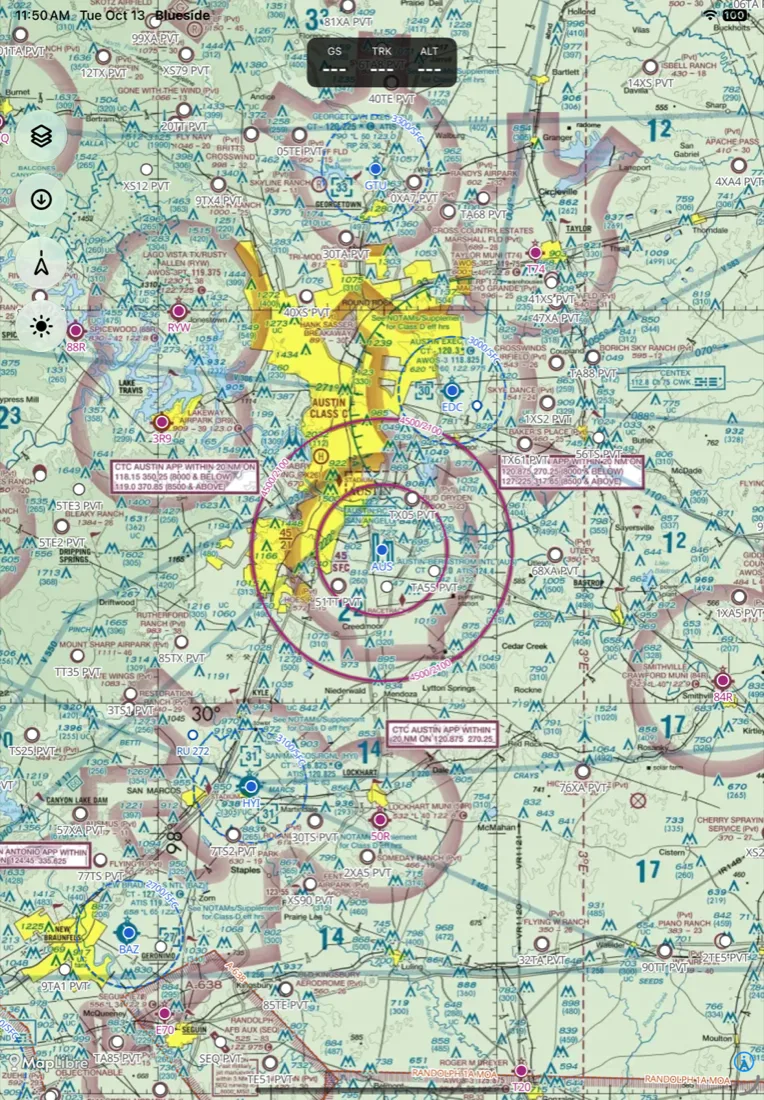
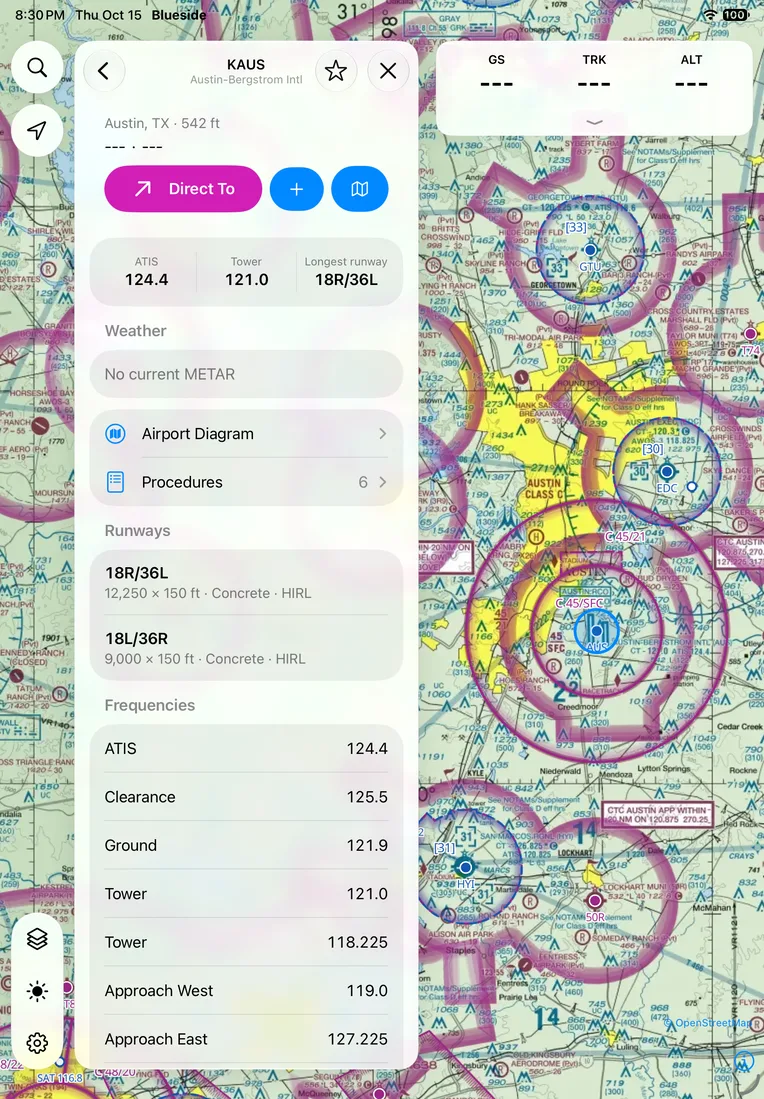
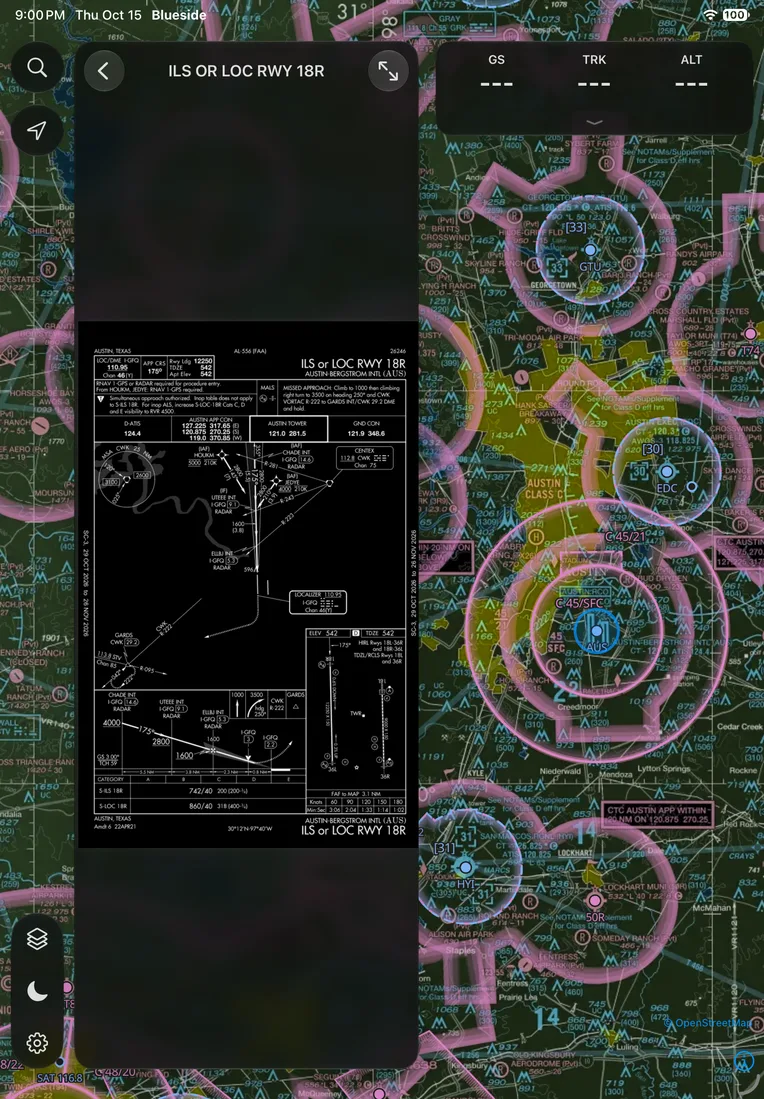
Blueside is a free electronic flight bag (EFB) for pilots in the United States. It has FAA VFR sectional charts, IFR enroute charts, approach plates and airport diagrams, a moving map, route planning with a nav log, a graphical flight brief, and aviation weather, and the charts work offline with no cell signal.
I'm a private pilot, and I fly with ForeFlight. Everything underneath it, the charts, the airport data, and the weather, is a free download from the FAA and NOAA. Blueside is my attempt to build a modern iPad app on that public data, with the whole pipeline and app in a public repo.
The iPad and iPhone app comes first, and an Android app runs on the same Swift core. There's no account, no subscription, and no tracking. It's in early development, nobody has certified it, and you shouldn't navigate with it yet.
Features
VFR sectionals for all 50 states
A server downloads the FAA's sectional sheets every day, trims the borders, and joins them into one map. Terminal Area Charts take over as you zoom in.
IFR enroute charts
The IFR low and high charts for the lower 48, with the area charts stitched in. VFR Flyway charts are there too.
Plates on the moving map
Approach plates and airport diagrams from the FAA's terminal procedures, downloaded per state. Georeferenced plates sit on the map at their true position, and your aircraft shows on them, full screen too.
Airport sketches
Every airport gets its runways drawn on the map. Airports without an FAA diagram get a sketch with taxiways, aprons, hold lines, and FBOs from OpenStreetMap.
Airports and airspace
Airport search, airport pages, nearest airports, favorites, and Direct To from the FAA's 28-day data. Class B, C, D, and E airspace and special use airspace are drawn on the map.
Route planning
Type a route like KAUS CWK V565 LFK KLFK and Blueside expands the airway fix by fix, gives each leg a magnetic course, and draws the line. Drag the line to bend it. Saved routes become flights with the departure, aircraft, fuel, and loads.
Nav log and flight brief
A nav log with heading, altitude, top of climb and descent, and fuel, printable as a PDF. The graphical brief has a hazard summary, a route profile with terrain, clouds, and winds, and airport panels with TAF bars.
Aircraft and weight and balance
66 aircraft templates from current FAA type certificate data. Add your own climb and descent numbers, check weight and balance, and attach your POH as a PDF.
ADS-B receivers
Connect a portable GDL 90 receiver for traffic with alert levels, GPS position, and FIS-B weather merged with what you downloaded.
Aviation weather
Radar with a loop, satellite, lightning, winds aloft, METARs, TAFs, PIREPs, SIGMETs, G-AIRMETs, CWAs, and TFRs as map layers.
Works offline
Download the states you fly in. Charts, plates, airport data, street maps, and terrain stay on the device and draw with no signal. A new chart edition switches over on its effective date.
Moving map
North up or track up, with groundspeed, track, and altitude across the top. Touch two fingers to the map for a distance ruler.
Release history
6 milestones since October 2026.
- Milestone
October 2026
Printable nav log
Nav logLatest- Share a printable nav log PDF from the route page, on iOS and Android.
- Top of climb and top of descent rows, with climbs from field elevation.
- Climb time, fuel, and distance from POH climb tables.
Flights, planning page, and route profile
Flights- Saved routes become flights that bring back the departure, aircraft, fuel, and loads.
- The route panel expands into a planning page with the map beside it and a nav log you edit in place.
- Route profile with the ground from terrain tiles and the tallest obstacle along each stretch.
- FIS-B weather from ADS-B receivers, merged with downloaded weather.
Source goes public, plus plates on the map
Public- Published the full source on GitHub, along with the new VOR logo.
- Approach plates on the moving map at their true position, with your aircraft on them.
- Graphical flight brief, 66 aircraft templates, weight and balance, and your own POH.
- ADS-B traffic from GDL 90 receivers, satellite and lightning layers, terrain and offline street maps.
- Airport sketches from OpenStreetMap for fields without an FAA diagram.
Airports, plates, routes, and weather on the map
Routes and plates- Airport search, airport pages, nearest airports, favorites, and Direct To.
- FAA airport diagrams and approach plates, downloaded per state.
- Routes with labelled waypoints. Drag the line to bend the route, with Undo.
- Radar and weather layers, plus Class E and special use airspace.
IFR charts, nav data, weather, and the route engine
Pipeline- IFR low and area charts added to the chart pipeline.
- FAA airport and airspace data built into a database and vector tiles.
- Weather mirror for METAR, TAF, SIGMET, G-AIRMET, PIREP, TFR, and radar.
- Route engine with airway expansion and magnetic variation.
First commit
Started- Shared Swift core for chart packs, position, and geo math.
- VFR pipeline turning FAA sectional and terminal charts into state packs.
- iOS app showing the map on bundled chart packs.
Roadmap
- Done
Charts, airports, routes, and weather
Sectionals, IFR low charts, plates, airport pages, route planning, and weather layers.
- Done
Plates, ADS-B, and flight planning
Position on georeferenced plates, GDL 90 traffic and FIS-B weather, the flight brief, and the nav log.
- Now
Android
A Kotlin app on the shared Swift core, kept at parity with iOS as features land.
- Later
NOTAMs
NOTAMs on the map and in the brief.
- Later
Outside the United States
Charts and data for other countries.
FAQ
Is Blueside a ForeFlight alternative?
It covers the core of what I use ForeFlight for in a small plane: charts, plates, airports, routes, weather, and a moving map. ForeFlight does far more and has years of flying behind it. Blueside isn't affiliated with ForeFlight.
Is Blueside open source?
The full source code is public on GitHub, and you can read it, build it, change it, and share it for free. The PolyForm Noncommercial license forbids selling it, so by the Open Source Initiative's definition it's source-available.
Does Blueside cost anything?
No. There's no price, no subscription, no account, and no in-app purchase.
Does it work without cell signal?
Yes. Download the states you fly in and the charts, plates, and airport data stay on the device. Weather and aerial imagery need a connection.
Can flight schools and instructors use it?
Yes. The license has an extra grant that lets pilots, instructors, flight schools, flying clubs, and operators use the app in flight operations and instruction, including flights for hire.
Is there an Android version?
It's in development. The Android app runs the same Swift core as the iPad app, and new features land on both.
Blueside
Free EFB for iPad with FAA charts, plates, and weather